
01
Capture
Walk through the asset and capture clear visual evidence—no guesswork, no relying on memory later.
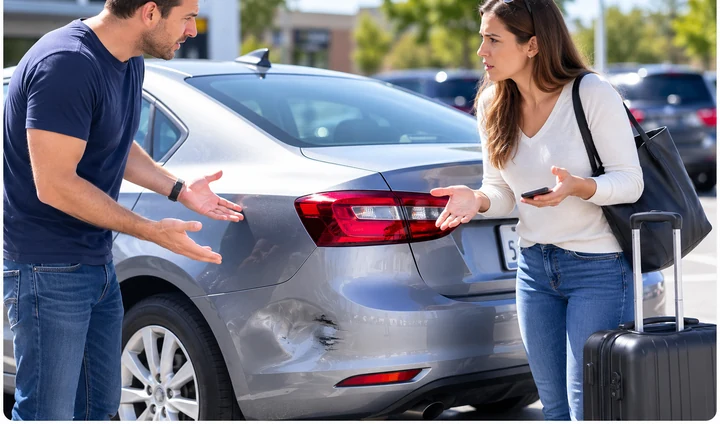
A new dent.
Was it already there? He says no. She's not so sure. Nobody wrote it down at pickup.
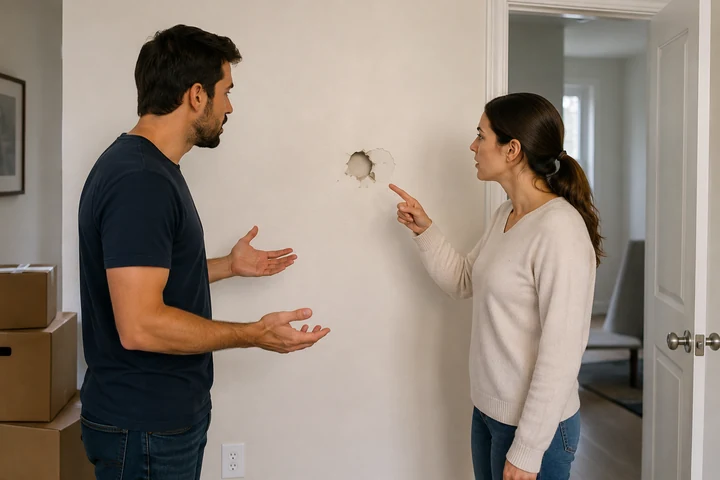
Move-out day.
The wall has a mark. The tenant says it was there. The landlord says it wasn't. Neither can prove it.
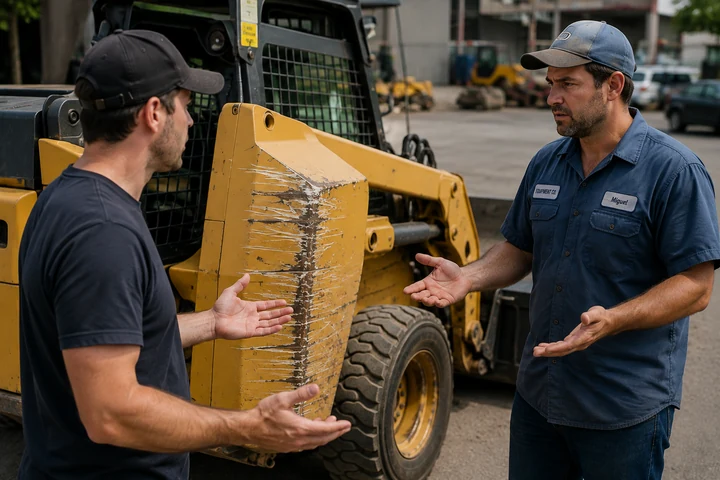
Returned damaged.
The equipment comes back scratched. No one recorded its condition going out, so no one can say when it happened.
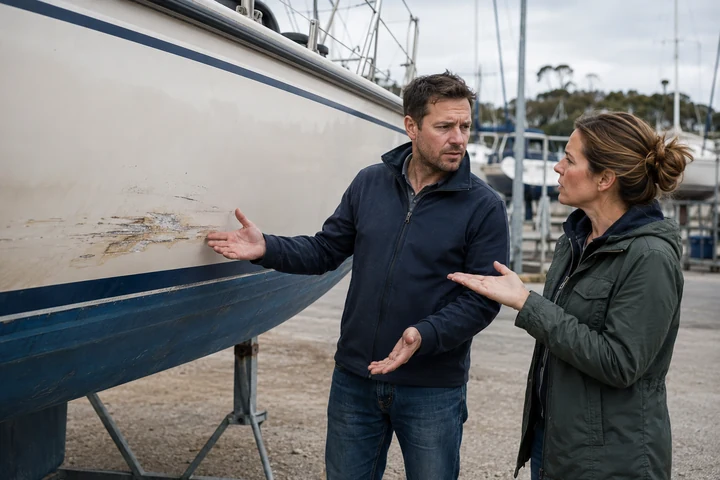
Back with a question.
A mark on the hull that might be new. Without a record, it's one person's word against another's.
No lawsuit needed—just a disagreement nobody can settle. What's missing every time is the same thing: a trusted visual record of what the asset actually looked like.
That's exactly why VesEvi exists.
Renting an apartment, a vacation stay, a vehicle, or equipment? VesEvi™ gives everyone the same facts, not competing memories—a clear, time-stamped record of condition at pickup and at return.
Capture. Compare. Resolve.
Capture the Truth.Compare the Evidence.Resolve with Confidence.
VesEvi
Before. After. Documented.
Confirmed finding
Condition change noted
VesEvi helps renters, landlords, and property managers—from apartments to vacation rentals—document condition before move-in and compare it at move-out.
Built for
VesEvi helps rental and leasing companies, fleets, and dealerships document vehicle condition at pickup and compare it at return.
Built for
The same three steps run behind every inspection, so nothing gets left to memory.
01
Walk through the asset and capture clear visual evidence—no guesswork, no relying on memory later.
02
See exactly what changed, side by side, whenever you need to look back.
03
Walk away with a clear, time-stamped record you can stand behind.
From adding an asset to downloading a report, every step keeps evidence organized and time-stamped.
Set up a property, vehicle, or piece of equipment in VesEvi.
Follow a structured walkthrough, so nothing gets missed.
Record video evidence; VesEvi extracts clear evidence frames automatically.
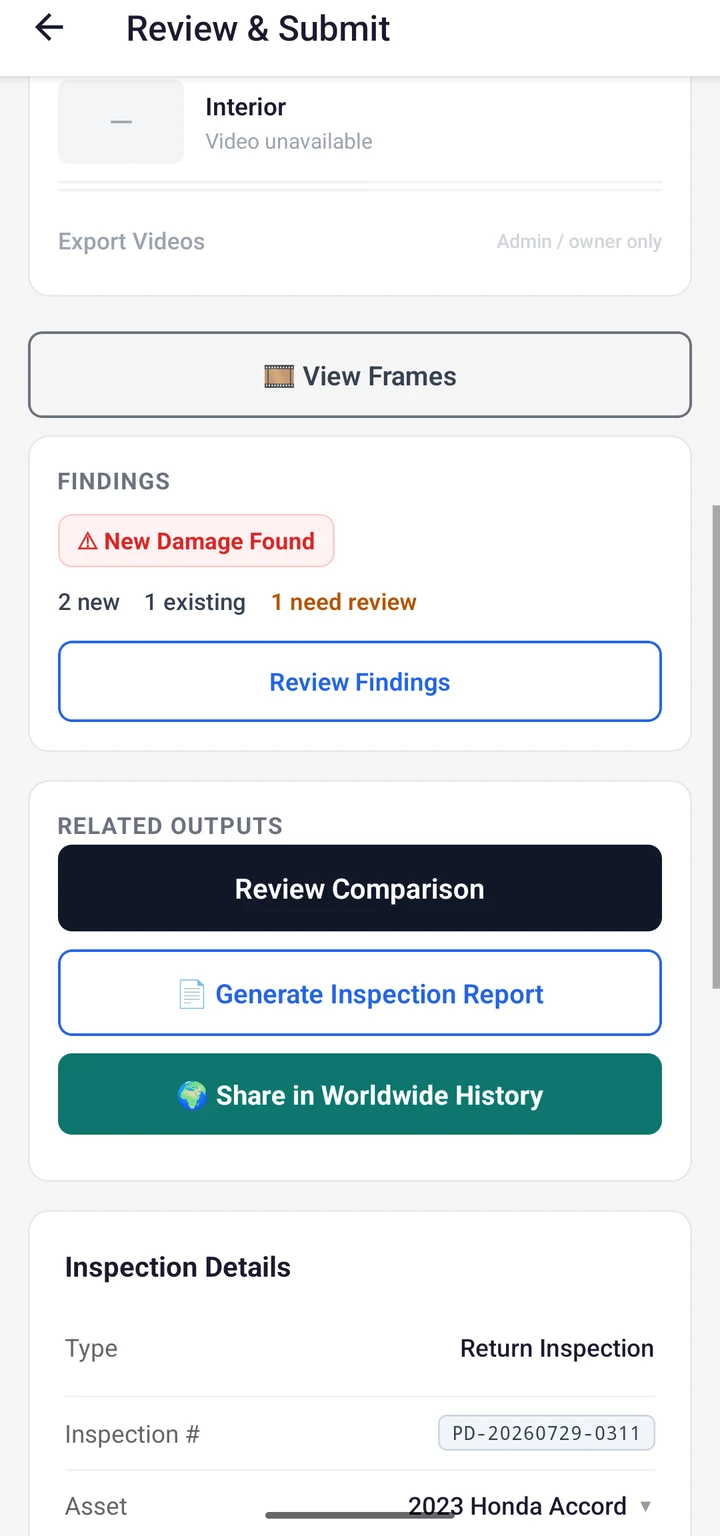
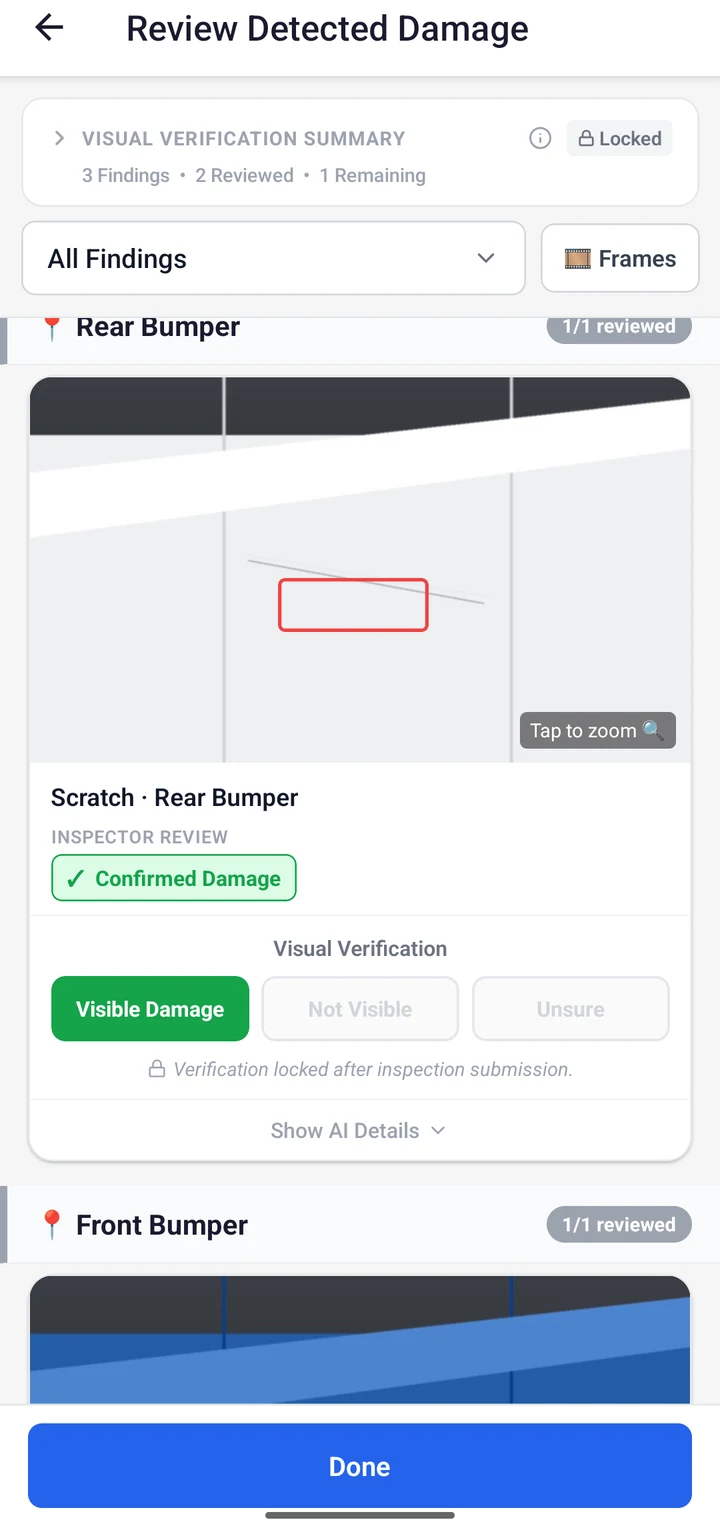
Human-reviewed AI suggestions point out what's worth a closer look.
Line up an earlier inspection against a later one and see exactly what changed.
Walk away with a clear report you can share with confidence.
Choose an inspection type and follow the same three-step guide every time.
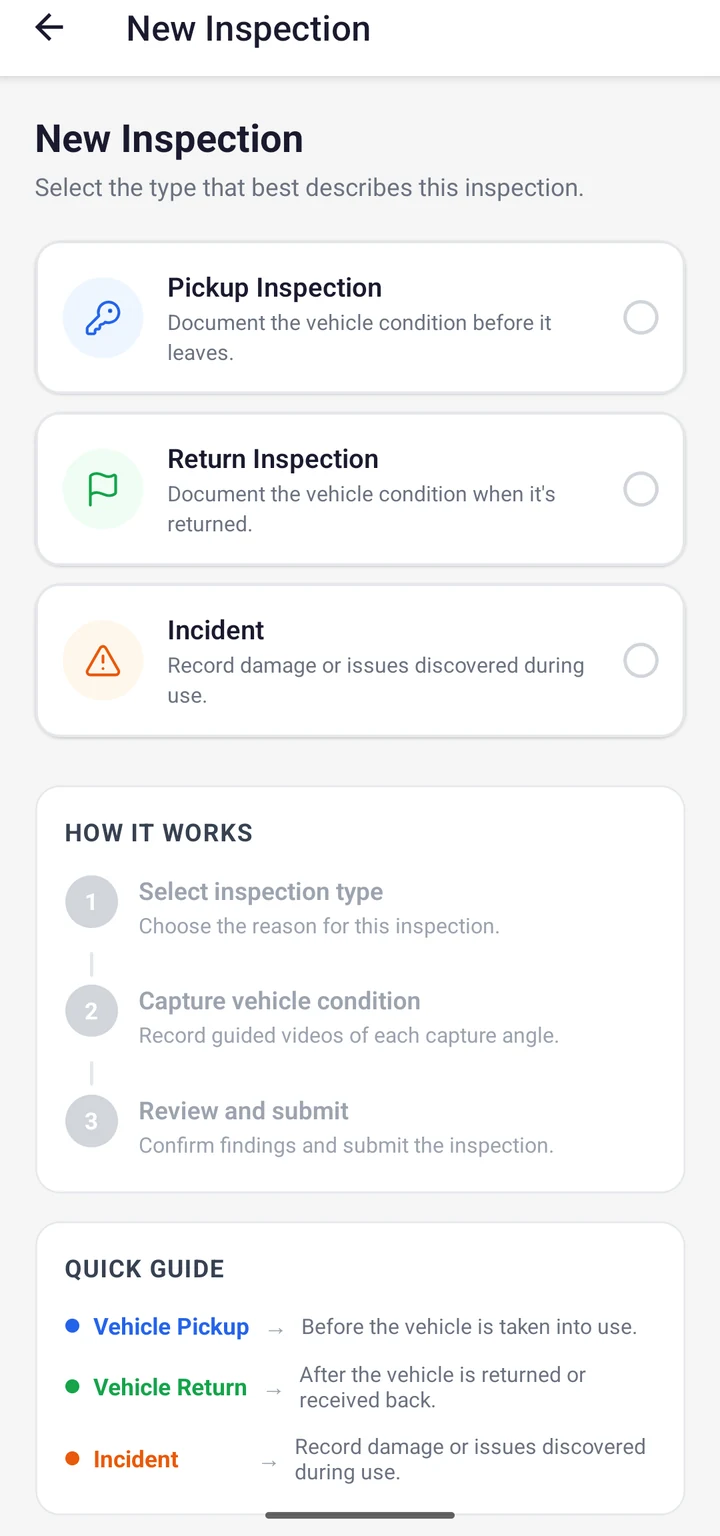
Guided capture, clear comparisons, and reports you can trust.
A guided vehicle inspection, moving through each capture zone.
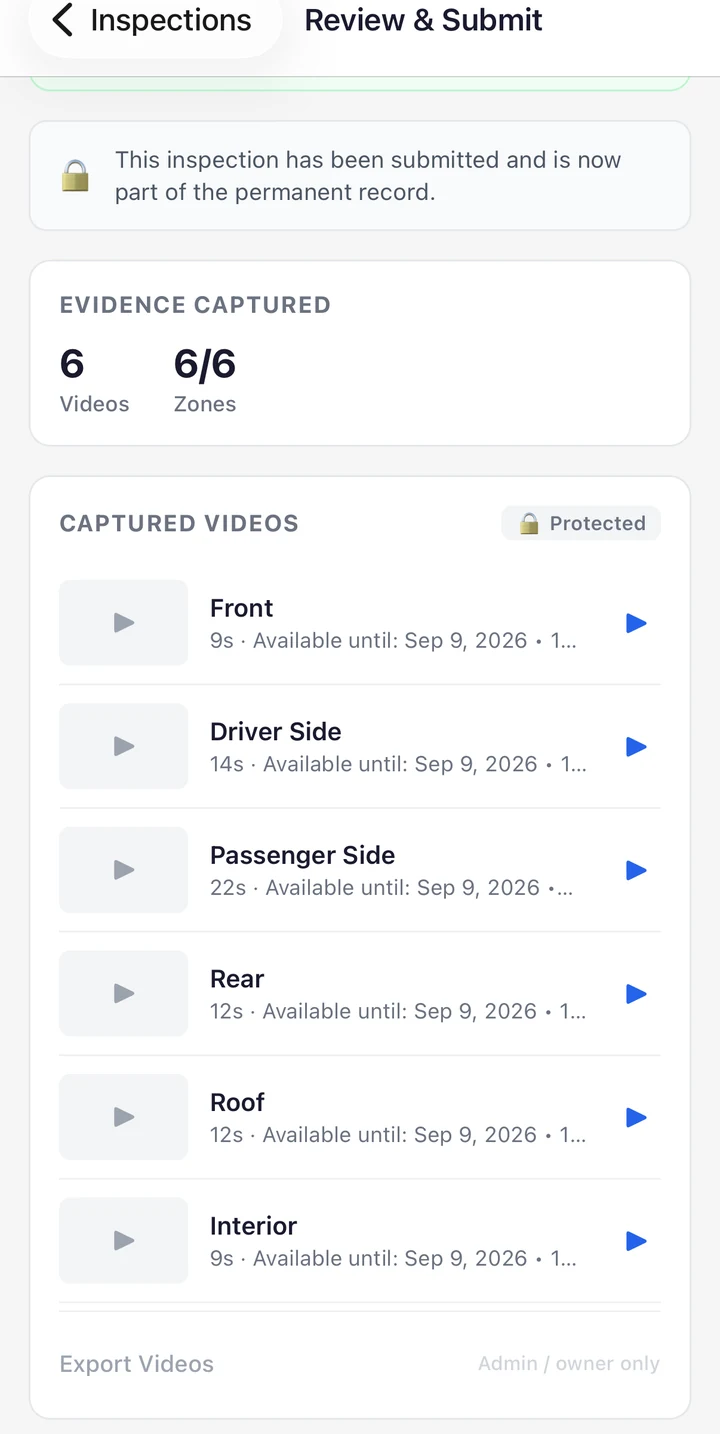
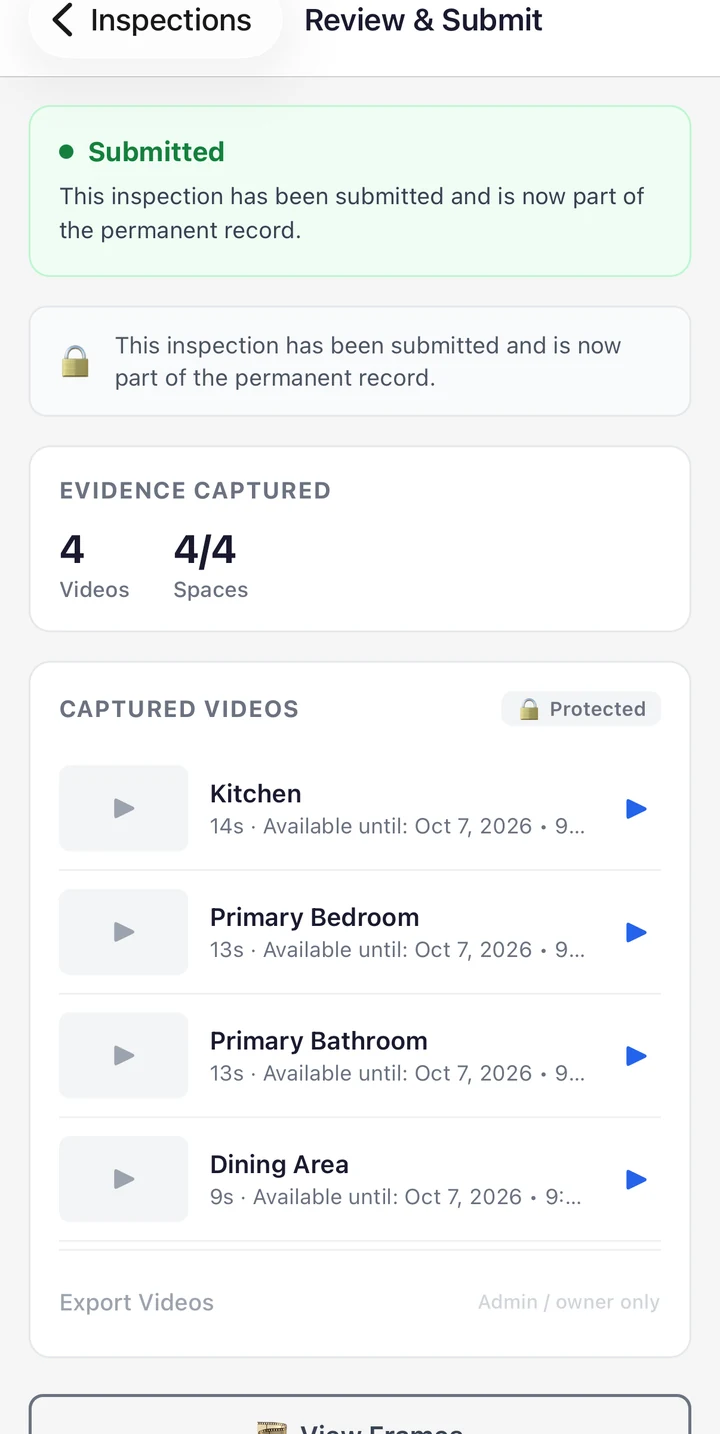
A guided property inspection, moving through each space.
Compare inspections to better understand what changed between two points in time.
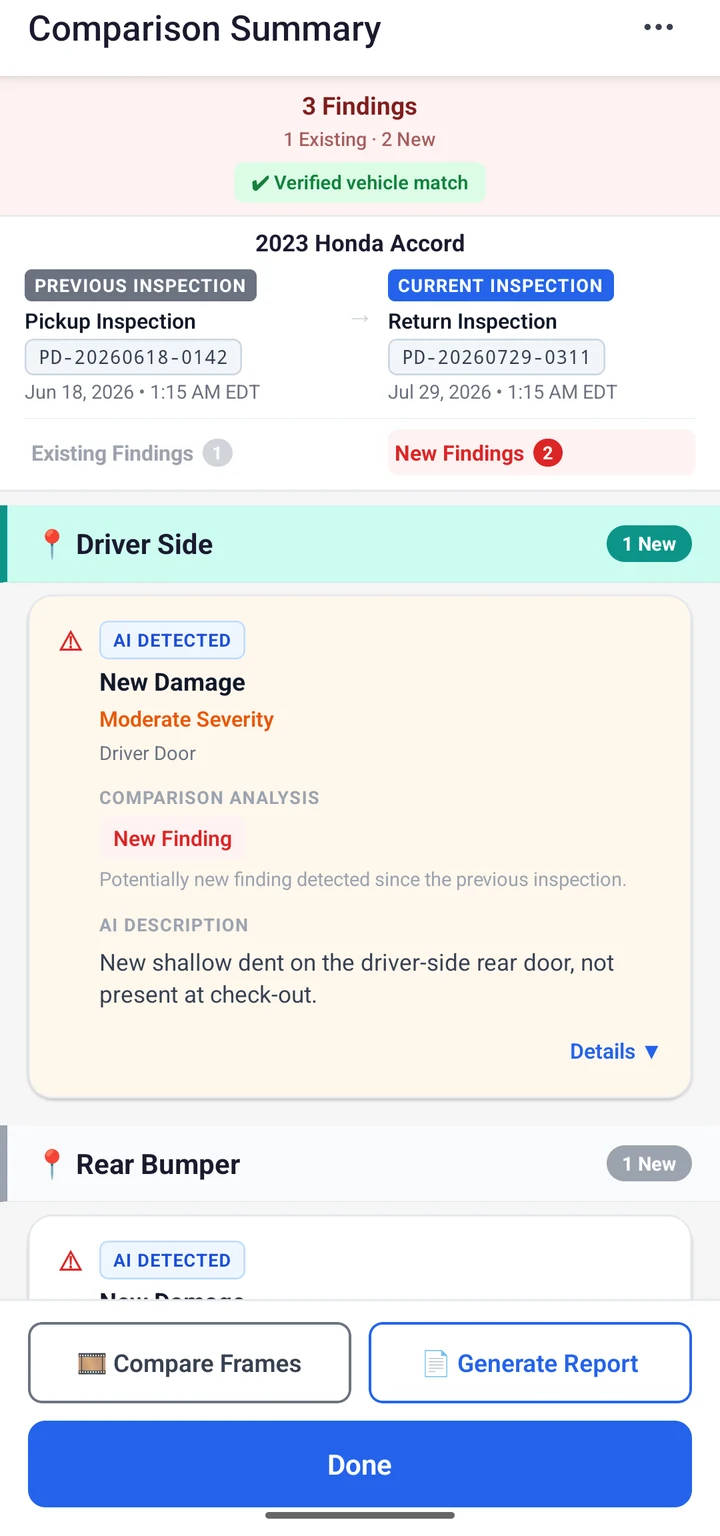
Review findings, then generate a report or share the inspection to Worldwide History.
Whether you're renting, leasing, buying, selling, transporting, maintaining, repairing, or managing an asset, VesEvi adapts its inspection workflow to match what you're documenting. No matter the asset, VesEvi adapts the inspection to fit it—not the other way around.
Transportation
Cars, trucks, boats, motorcycles, trailers, RVs
Properties
Apartments, homes, vacation rentals, commercial buildings
Equipment
Construction equipment, industrial equipment, rental equipment
Other Physical Assets
And many more...
Move-In / Move-Out
Rental Pickup / Return
Buy / Sell
Pickup / Delivery
Before / After Repair
Shipping / Receiving
Maintenance Inspections
Periodic Inspections
No matter what you're documenting—or when you're documenting it—VesEvi adapts the inspection to fit the asset and the moment.
Guided capture zones keep evidence tied to the part of the vehicle it came from.
Vehicle Capture Zones
Configurable spaces keep issue evidence tied to the room or area it came from.
Property Spaces
Starting and submitting an inspection both require a connection. Capturing the evidence itself doesn't.
Capture keeps going
Once an inspection is underway, video recording continues even with a weak or unavailable connection.
Stored on your device first
Video is saved locally as you capture it, then uploaded when you're back in range.
Review before you submit
Delete and re-record a clip any time before submission. There's no trim or edit—only start over.
Locked once submitted
Once you submit an inspection, its evidence is final and can no longer be altered.
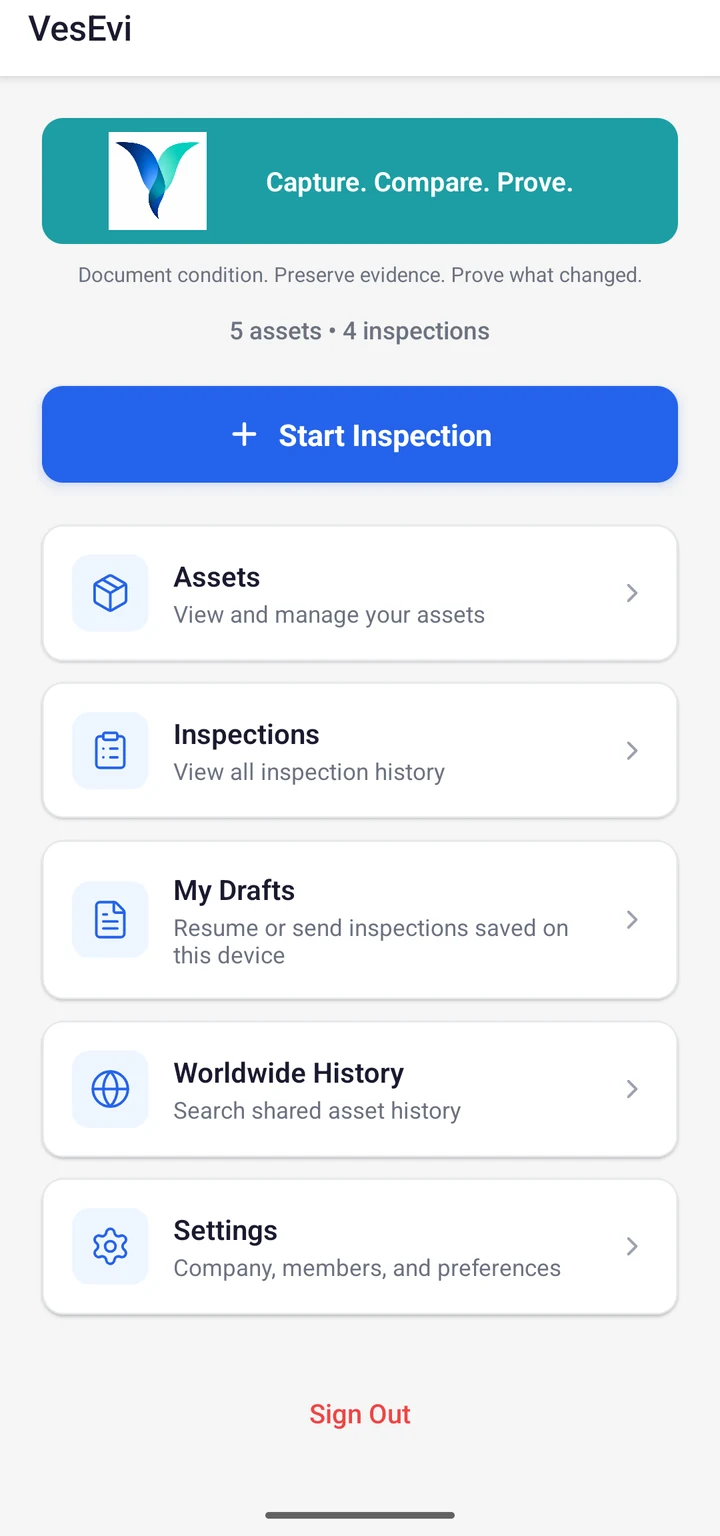
The Mobile app's home view: assets, drafts, and recent inspections at a glance.
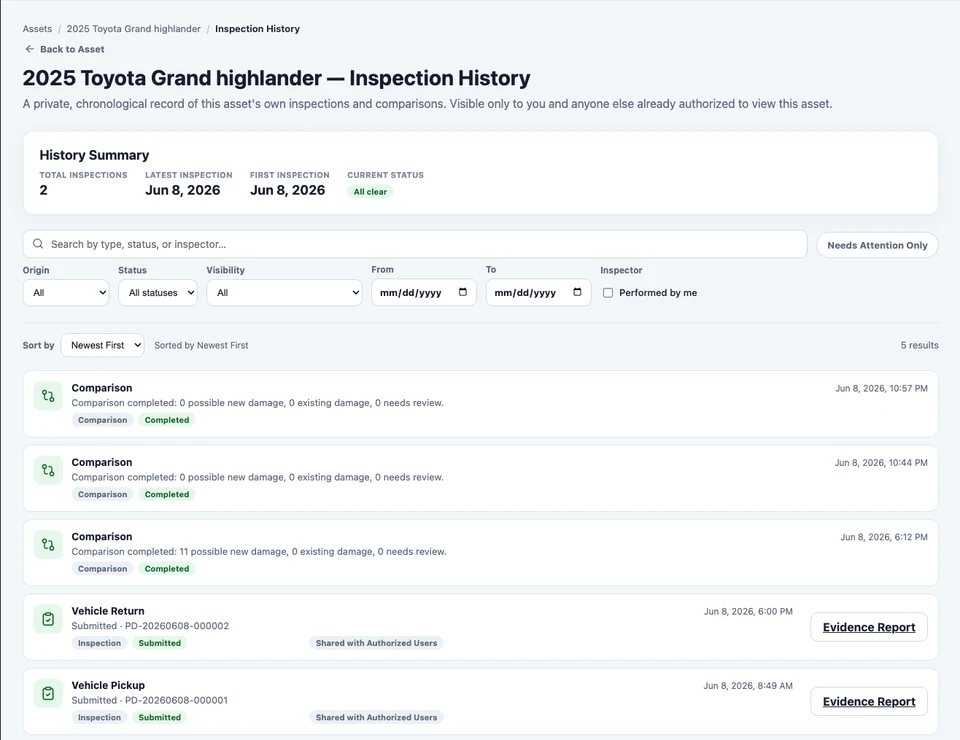
VesEvi preserves a chronological history of inspections over time, helping you understand how an asset has changed—not just what it looks like today.
Follow the asset's condition over time, from one inspection to the next.
Vehicle
Pickup
Return
Repair
Next Owner
Property
Move-In
Annual Inspection
Move-Out
Next Tenant
Every inspection adds to the record, building a clearer picture for whoever looks next.
Every report includes the details, the evidence, and a clear before-and-after comparison.
A single inspection record for a move-in or move-out.
Property Inspection Report
A single inspection record for a move-in or move-out.
Move-in vs. move-out, space by space.
Property Inspection Comparison Report
Move-in vs. move-out, space by space.
A single inspection record for a pickup or return.
Vehicle Inspection Report
A single inspection record for a pickup or return.
Pickup vs. return, zone by zone.
Vehicle Inspection Comparison Report
Pickup vs. return, zone by zone.
A VesEvi report should hold up in someone else's hands. Every report VesEvi issues carries a unique verification code and a QR code, so whoever receives the PDF can check for themselves whether it matches the document VesEvi issued — without an account, and without taking anyone's word for it.
Every VesEvi Verifiable Report is printed with a unique verification code and a matching QR code.
Scan the QR code, or go to the verification page and enter the code by hand. No account and no sign-in.
VesEvi checks the file you were sent against the document it issued under that code, and tells you whether they match.
Your browser creates a digital fingerprint of the PDF and sends only that fingerprint. The document itself is not uploaded to VesEvi during verification.
VesEvi combines automated suggestions with human review, so the final report reflects confirmed reality—not just an algorithm's best guess.
AI suggests
Computer vision highlights areas that may be worth a closer look.
People confirm or reject
A reviewer checks every suggestion before it counts for anything.
Only confirmed findings are reported
What appears in the final report has been confirmed by a person, not just a model.
Rejected suggestions are excluded
AI suggestions that don't hold up are left out of the report entirely.
AI proposes candidate findings for review—never a final answer on its own.
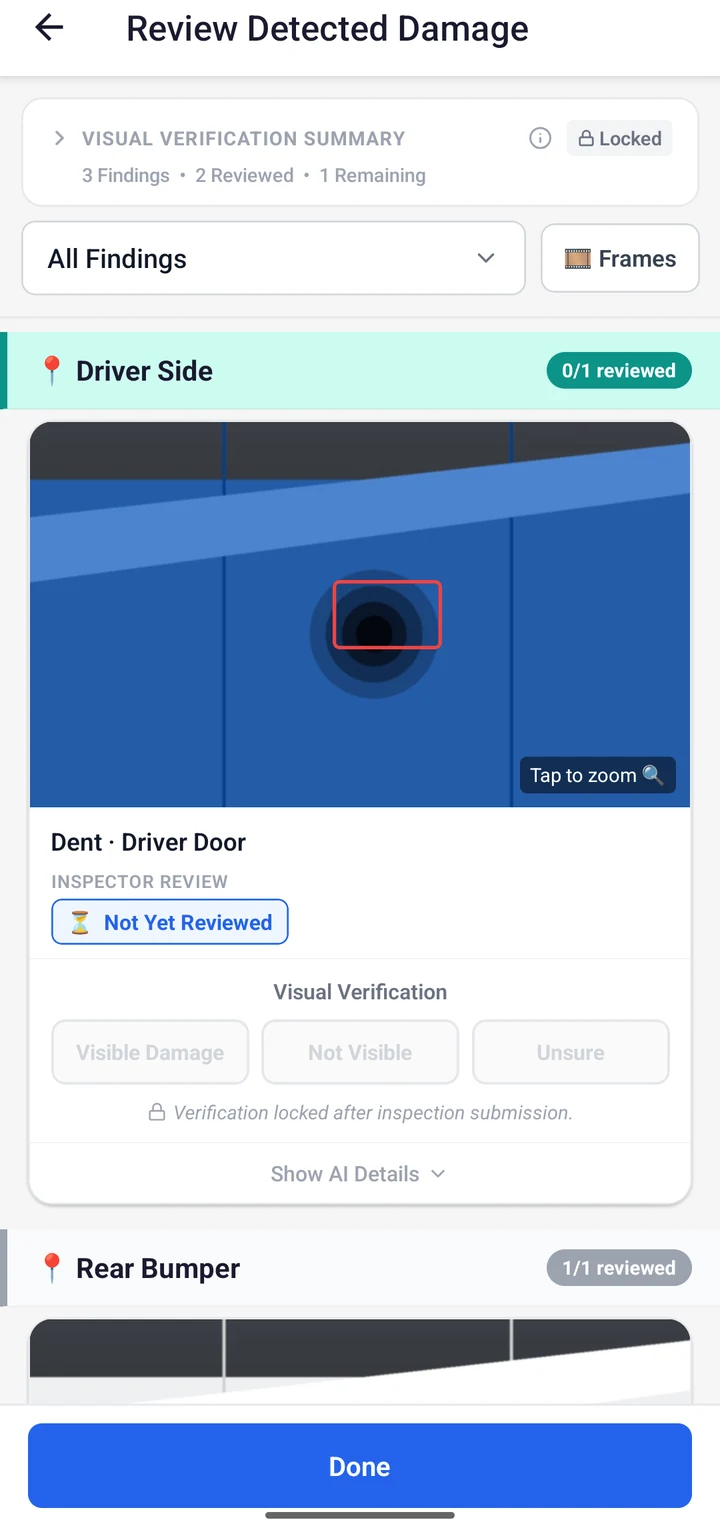
AI helps. People decide. Only confirmed findings carry through to the report.
“A picture captures a moment. VesEvi preserves the evidence.”
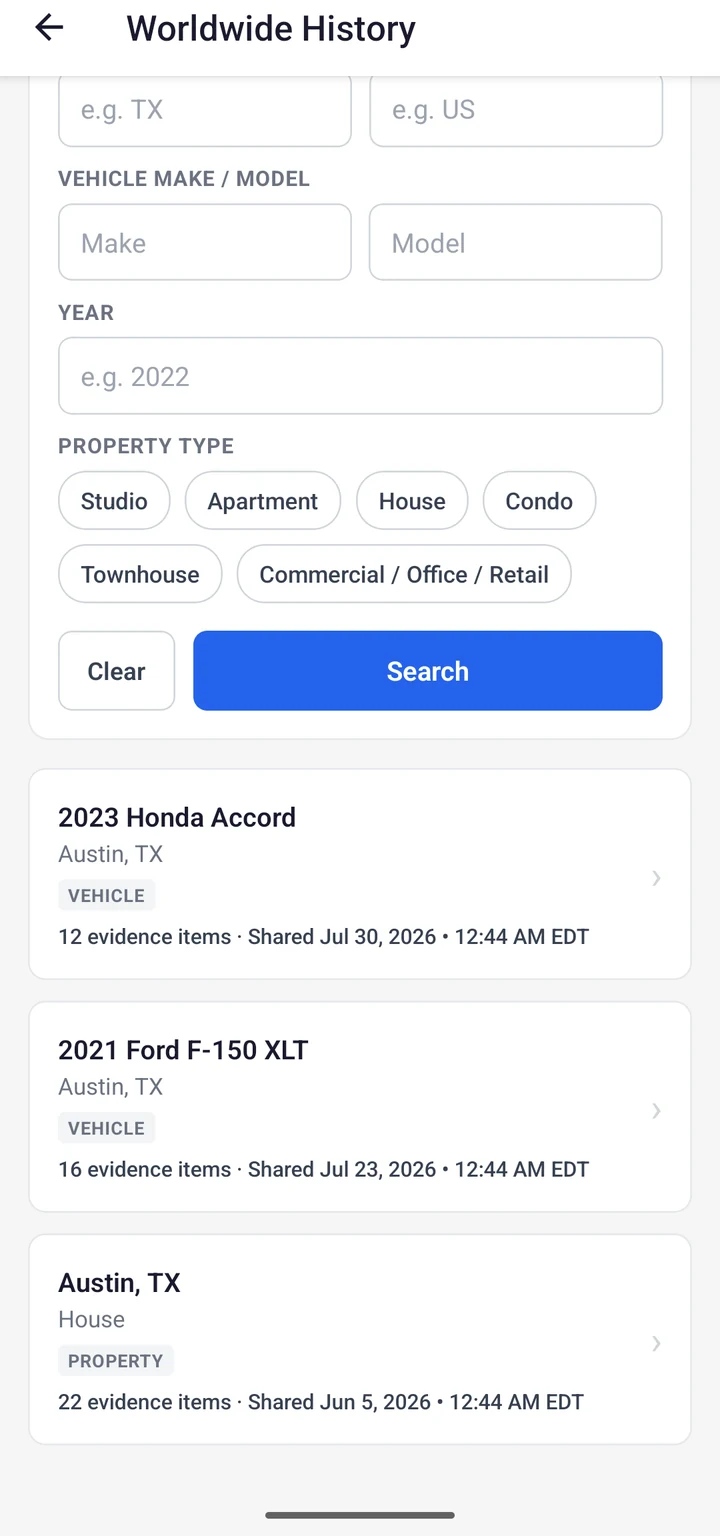
An inspection doesn't have to be the end of an asset's story. Worldwide History is VesEvi's opt-in public record: contributors choose, inspection by inspection, to share a reviewed record of an asset's condition—searchable by anyone, without an account.
What becomes public
What stays private
Sharing is never automatic. Before confirming, the contributor reviews a preview of exactly what will become public—including the asset identity—and can withdraw a shared record at any time. Every submission is screened before it's confirmed public, so the record is never complete—only what contributors have chosen to share.
Search Worldwide HistorySearch Worldwide History for a shared record of an asset's condition.
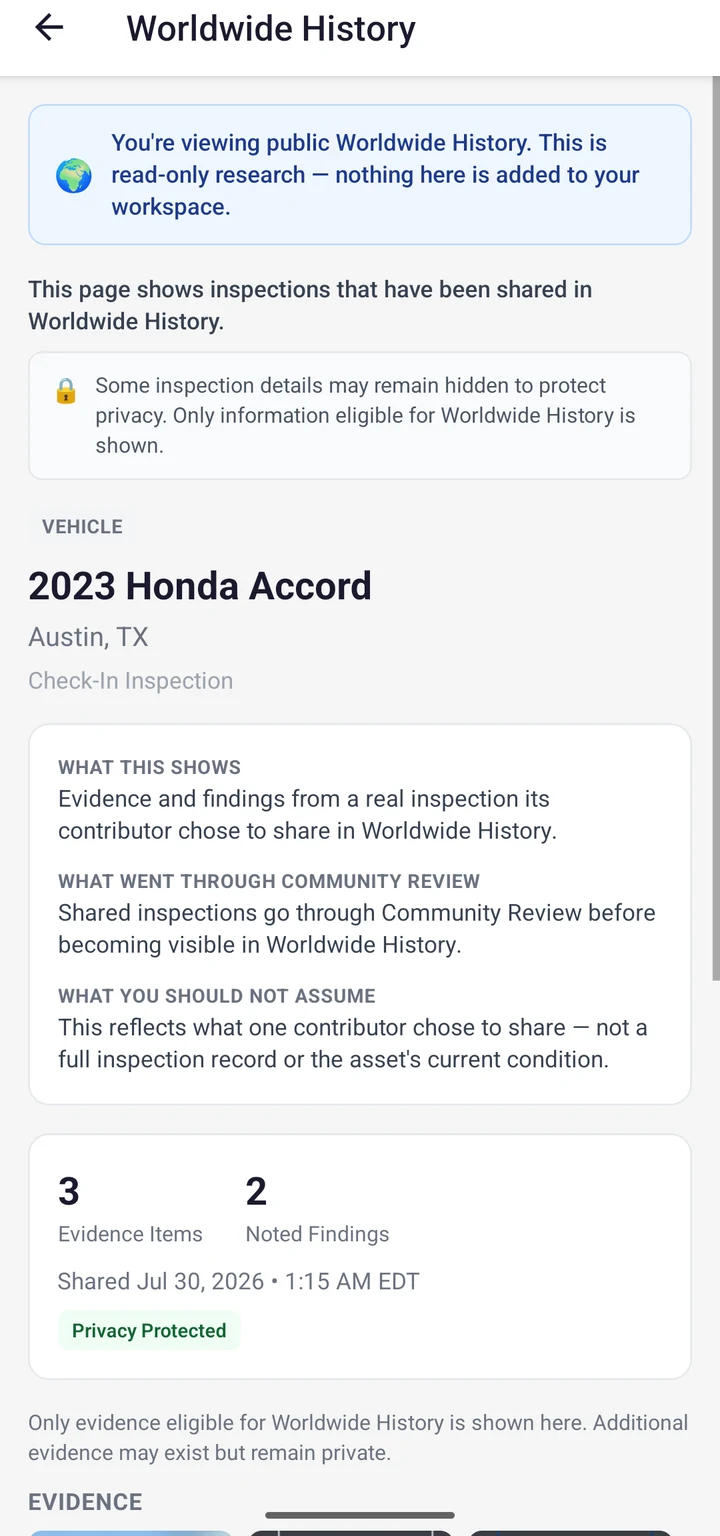
A shared record's public detail view: published condition images and reviewed findings.
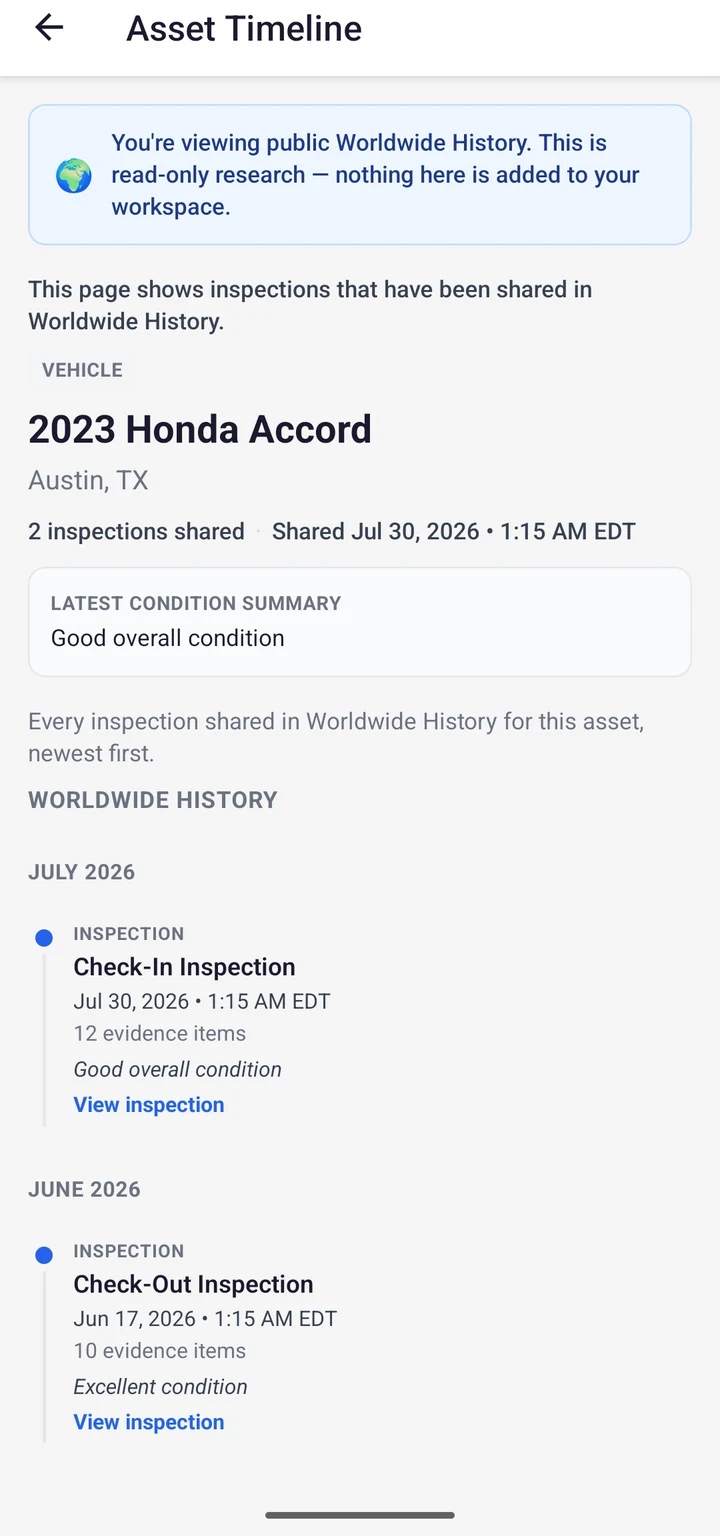
The chronological record of an asset's condition over time—automatically built from real inspections and comparisons.
This is the asset's story, continuing. The timeline belongs to the asset—not the person who inspected it, the account that submitted it, or any one contributor. It stays with the asset across owners, renters, and companies.
Inspections
Every submitted inspection adds a new, dated entry automatically—no manual logging required.
Comparisons
Comparing two inspections produces its own timeline entry: new damage, repaired, or unchanged.
Worldwide History
If a contributor shares an inspection, its entry also appears on the asset's public timeline—never more than what was shared.
The chronological record of an asset's condition, built from real inspections and comparisons.
Example Asset Timeline
First Inspection
No Significant Change
Possible Damage
Damage Repaired
Example Histories
Sample Property · Illustrative
Move-In Inspection
Water Leak Reported
Repair Completed
Annual Inspection
Kitchen Renovation
Move-Out Inspection
Next Tenant
Illustrative example, not a real property. VesEvi does not currently access official ownership records and does not independently verify every event shown here. Records shown are subject to each contributor's sharing and privacy choices.
Sample Vehicle · Illustrative
Rental Pickup
Rental Return
Damage Confirmed
Repair Completed
Fleet Inspection
Sale Inspection
Next Owner
Illustrative example, not a real vehicle. VesEvi does not access government title records and is not integrated with Carfax or any third-party vehicle-history provider. Not every repair or accident is guaranteed to be recorded, and VesEvi does not replace a professional mechanical inspection.
One asset.
One continuous history.
Built from real inspections.
Every optional inspection a contributor shares becomes part of Worldwide History—and every future visitor who searches it benefits from that choice.
Tap to view larger
Your inspection protects you today.
Your contribution helps the next person make a better decision.
Tomorrow, someone else's contribution will help you.
You contribute one inspection. You may benefit from thousands.
Contribute
Optionally share a completed inspection.
Build History
Your contribution adds to the asset's growing record.
Community Benefits
Other participants gain a clearer picture from shared records.
You Benefit
You gain from Worldwide History others have chosen to contribute.
Private by default
Your inspections stay tied to your account—visible only to you unless you choose to share.
You choose what to share
Community contribution is intended to always be an explicit choice you make—never automatic.
Share selected records, not everything
The platform vision includes letting you choose which inspection records, evidence frames, report details, or asset information to contribute.
Sensitive information stays protected
Personal information, faces, audio, precise private-location details, and account information are not intended to be represented as automatically public.
Always optional
Sharing is always a choice. VesEvi never shares full videos publicly and never shares automatically. Sharing personally identifiable information is never intended to happen without your explicit choice, and every contributed record goes through review before it's public.
One inspection documents a moment. A community's contributions reveal the history.
A clearer picture
More context before renting, buying, lending, or accepting an asset than a single listing photo can offer.
Fewer surprises
Fewer unexpected condition surprises when an asset changes hands.
A richer history
The history grows richer as more people voluntarily choose to contribute.
Shared value
What helps one participant can help the next person who looks.
As participation grows, Worldwide History is designed to support a broader, more trusted knowledge network for physical assets:
Future contribution programs may reward members who help grow trusted asset histories.
Together, the Worldwide VesEvi Community is building the world's most trusted visual history of physical assets—one inspection at a time.
VesEvi is private by default. Evidence stays tied to the inspection it came from, and access and sharing stay in your control.
Evidence stays tied to its inspection
Captured frames and video stay linked to the inspection and asset they came from.
Sign-in required
Inspections and reports live behind sign-in on the VesEvi app, not on the open web.
Time-stamped records
Every capture and finding carries a timestamp as part of the inspection history.
Privacy-aware sharing
Reports are meant to be shared deliberately, with the people who need to see them.
Property
Move-in and move-out condition records for any space.
Vehicles
Pickup and return condition records for any vehicle.
Fleets
Condition tracking across many shared vehicles.
Property Management
Standardized inspection records across a portfolio.
Equipment
Condition records for whenever equipment changes hands.
Partners
Visual evidence built into an existing workflow.
Capture the Truth.Compare the Evidence.Resolve with Confidence.
Ready when you are
Start a VesEvi inspection and walk away with a clear, confirmed record for the assets that matter.